How It Works
Sort trail camera pictures in 3 easy steps — right on your PC
Pull your SD card from any non-cellular trail camera, plug it in, and let Trakkdown do the sorting. No cloud upload. No internet needed.
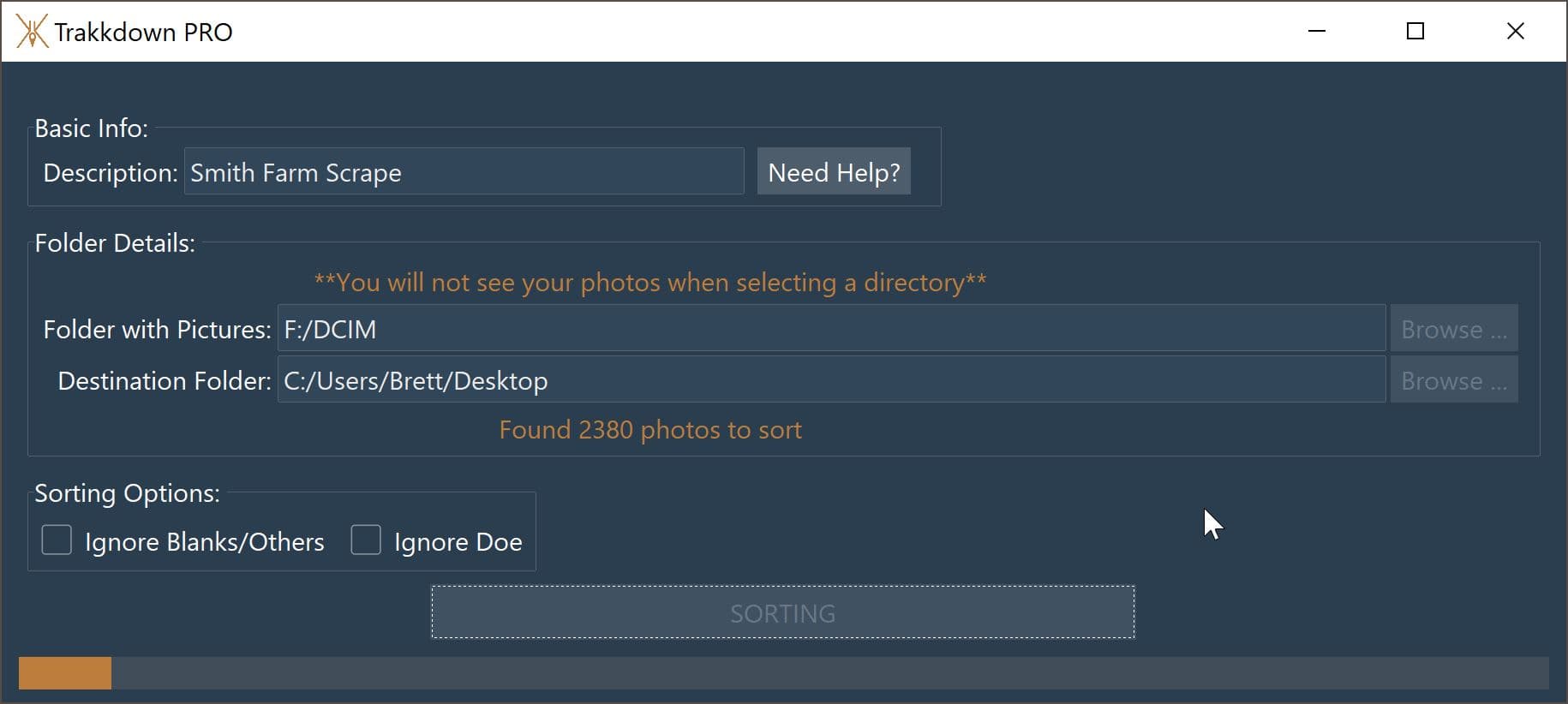
Pull your SD card and select your photos
Take the SD card from your non-cellular trail camera and plug it into your PC using any SD card reader. Point Trakkdown to the folder containing your trail camera pictures.
Choose where to save sorted pictures
Select a destination folder on your computer where Trakkdown will organize your sorted trail camera photos into Buck, Doe, and Blank/Other subfolders.
Sit back and relax
Trakkdown's AI processes every trail camera picture locally on your PC — no cloud upload needed. With over 95% accuracy, you'll never manually sort trail camera photos again.
Detailed Reports with Trakkdown PRO
Take trail camera scouting to the next level. Trakkdown PRO gathers intel as it sorts your trail camera pictures and generates an easy-to-read PDF report. Track deer activity patterns, peak movement times, and buck-to-doe ratios across your non-cellular trail camera locations.
Easily determine that deer are frequenting the area around 8:00 am every day — all from data processed locally on your PC.
Get Trakkdown PRO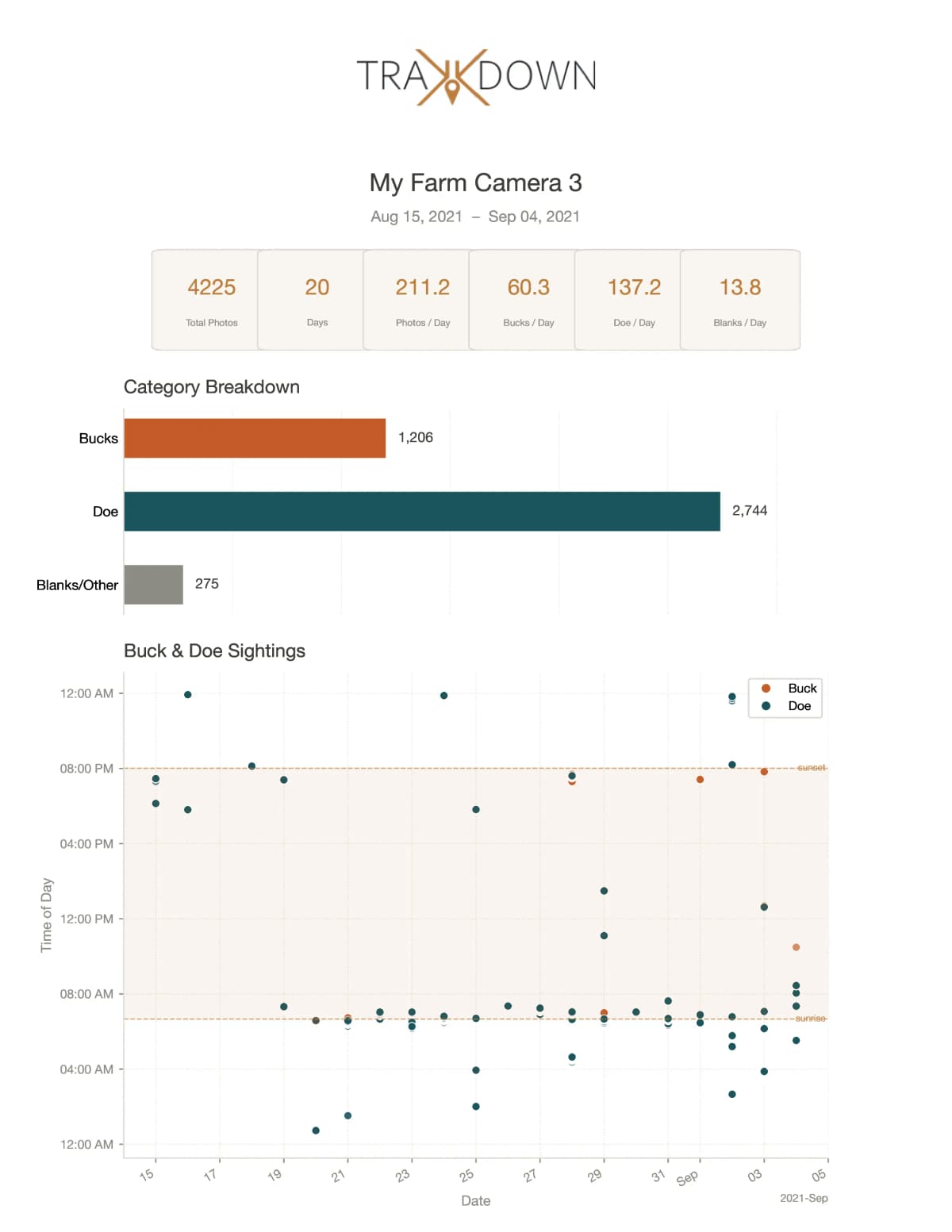
Ready to get started?
Start sorting your trail camera pictures on your PC in minutes. No cloud. No cellular camera. Just results.
View Pricing